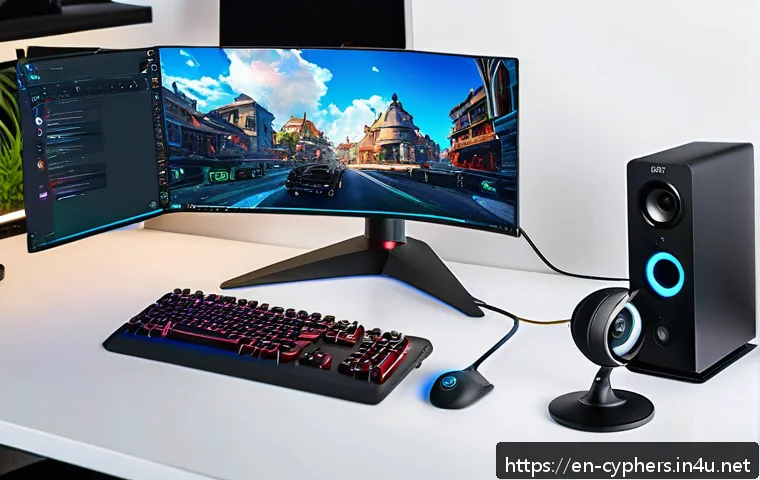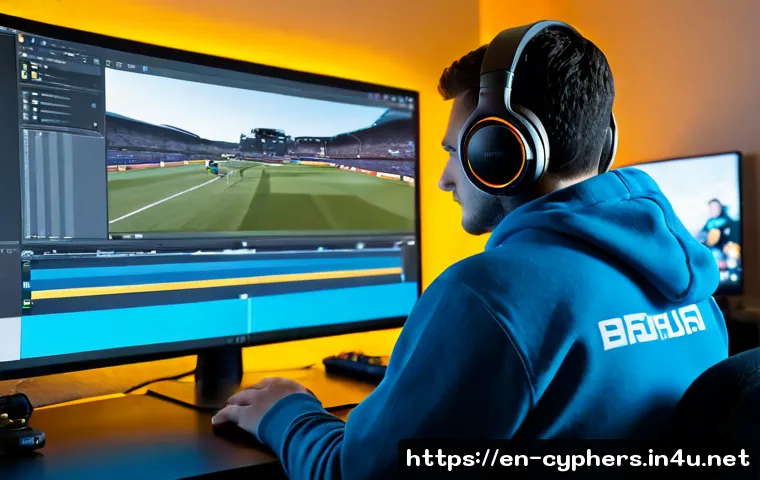
The best Cyphers gameplay videos start with smooth capture, clear game audio, and one simple goal for each upload. Edit around the match’s most useful or exciting moments instead of uploading every second of raw footage.
Free recording and editing tools are often enough when your footage is stable and your cuts are simple. Paid video editors, extra storage, a microphone, or freelance editing support become worth considering only when they solve a recurring workflow problem.
Your audience may prefer full matches, highlights, character guides, or short clips, so choose the format before you record. Always review platform, copyright, and publisher policies before using music, replays, or third-party assets.
At a Glance
- Use a recording setup that keeps frame pacing stable, preserves readable action, and captures understandable game audio.
- For better retention, remove queue time, repeated downtime, and moments that do not add context to the match.
- Upgrade software, storage, audio gear, or editing support when a repeated bottleneck costs more time than the upgrade solves.
| Production Choice | Best For | What to Compare | Potential Trade-Off |
|---|---|---|---|
| Free recording and editing tools | New creators and simple highlight videos | Capture stability, basic cutting, export options, device compatibility | May require more manual work for captions, audio cleanup, or multi-track projects |
| Paid video editing software | Frequent uploads and more detailed edits | Workflow speed, audio tools, caption tools, project organization, support | Only useful when its features match your actual editing workload |
| Additional storage | Long sessions, multiple projects, and backup needs | Available capacity, file management, backup routine, connection type | Raw recordings can still become difficult to organize without a folder system |
| Basic microphone upgrade | Guides, commentary, and team-fight explanations | Voice clarity, background noise, placement, recording controls | Better audio will not fix unclear commentary or unbalanced game sound |
| Freelance editing assistance | Creators with consistent footage but limited editing time | Editing samples, revision process, turnaround expectations, asset permissions | You still need a clear brief and organized recordings |
Build a Watchable Cyphers Video Before You Press Record
A watchable Cyphers video does not need complicated effects. It needs smooth footage, clear match context, and clean audio. If a viewer cannot follow the fight, understand why a play matters, or hear the key moment, a more elaborate edit will not solve the core problem.
The Three Priorities: Smooth Footage, Clear Match Context, and Clean Audio
Start by protecting match readability. Keep important UI elements visible, avoid distracting overlays, and make sure fast combat remains understandable. Stable frame pacing matters because choppy footage can make both gameplay and decision-making difficult to follow. Audio should support the action: game sounds should be audible, and commentary or voice chat should not overpower the match.
Choose One Viewer Goal for Each Upload
Decide what a viewer should get from the video before recording. A full match can show the flow of a game. A highlight reel can focus on strong plays. A character guide can explain decisions, positioning, or timing. A short clip can deliver one clear moment quickly. Mixing every goal into one upload often makes the pacing less focused.
Quick Setup Summary for First-Time Creators
For a first video, use the capture option that runs reliably on your computer, record a short test, and make a simple edit around one match or one idea. Keep enough free storage for the recording and the exported project. Make a readable thumbnail that shows the character, moment, or lesson without shrinking important details into clutter.
Pick the Right Video Format for Your Time and Budget
The right format depends on how much time you can spend after playing. Full matches require less cutting but may include long periods with little value. Highlights can feel faster but require more review and selection. Guides need the clearest structure because viewers are looking for a specific answer.
Full-Match Uploads Versus Edited Highlights
Full-match uploads work best when the entire game has a clear story, unusual strategy, or useful learning value. Edited highlights are better when your strongest moments are separated by queues, loading, repeated defeats, or routine movement. Neither format is automatically better; the key is whether the final video respects the viewer’s time.
Character Guides, Team-Fight Breakdowns, and Short-Form Clips
Character guides benefit from direct explanations and relevant examples. Team-fight breakdowns should show the objective, the turning point, and the result. Short-form clips need one readable payoff, such as a clean play or a quick lesson. If a clip needs too much background explanation, it may work better as part of a longer guide.
Format Comparison: Effort, Storage, and Viewer Value
| Format | Editing Effort | Raw Footage Needs | Viewer Value When Done Well |
|---|---|---|---|
| Full match | Lower | Can be substantial for longer recordings | Complete context and natural match flow |
| Highlights | Moderate to high | Often requires reviewing more footage than is published | Fast pacing and concentrated action |
| Character guide | Moderate | Useful examples may come from several sessions | Clear learning value for players seeking help |
| Short clip | Lower to moderate | Small final output, but source footage still needs review | One fast, focused moment or idea |
When Paid Editing Software or Freelance Help May Be Worth Considering
Consider paid editing software when your main limitation is repeated manual work. Features for captions, audio cleanup, multi-track editing, or project organization may save time for frequent uploads. Consider freelance editing support when you can provide organized footage, a clear reference style, and specific instructions. If you only post occasional clips with simple cuts, a free video editor may remain the practical choice.
Capture Gameplay Without Hurting Match Performance
Capture quality is a balance between resolution, frame rate, recording settings, computer workload, and storage space. There is no single best setting for every computer. A reliable recording that keeps gameplay responsive is more useful than a demanding setup that causes dropped frames during a match.
Balance Resolution, Frame Rate, Recording Quality, and Computer Workload
Change one setting at a time during testing. If the game becomes less responsive or the recording looks uneven, reduce the recording workload before committing to a long session. Check the captured file rather than judging only the live preview. What looks fine while playing may reveal stutter, poor audio balance, or unreadable UI during playback.
Keep Enough Storage for Raw Footage and Project Backups
Long raw recordings can use significant disk space, especially when you record at higher resolutions or frame rates. Keep a simple folder structure for raw captures, active editing projects, exports, and backups. Delete unusable tests after reviewing them, but keep important source files until the final upload is confirmed.
Test Recordings Before Important Ranked Matches or Long Sessions
Run a short test before recording a ranked session, guide, or extended play period. Confirm that the capture starts correctly, game audio is present, voice levels are acceptable, and the saved file plays normally. This small step can prevent a useful match from becoming unusable footage.
Avoid Common Capture Problems
Watch for dropped frames, clipped audio, intrusive notifications, oversized overlays, and accidental desktop capture. Disable distractions where possible and check what personal information may appear on screen. If you use voice chat, remember that other players may not expect their voices or names to appear in a public video.
Edit Matches Into a Story Viewers Can Follow
Editing improves retention when it makes the match easier to understand. The goal is not to remove every quiet second. It is to remove parts that are repetitive, confusing, or disconnected from the purpose of the upload.
Open With the Strongest Moment or the Match Objective
Start with a strong play, a clear challenge, or a quick statement of what viewers will learn. For a guide, explain the character or team-fight question early. For a highlight video, showing a brief preview of the best moment can establish why the viewer should stay.
Cut Loading Screens, Long Waits, Repeated Defeats, and Unclear Downtime
Remove queue time and loading screens unless they provide necessary context. Trim repeated downtime that does not change the match story. A defeat can remain useful when it explains an adjustment, mistake, or later comeback; otherwise, it may only slow the video down.
Use Captions, Zooms, or Slow Motion Only When They Clarify a Decision
Captions can help viewers catch a key callout. A zoom can direct attention to an important ability use or positioning choice. Slow motion can clarify a fast turning point. Use these tools with restraint. If every moment has movement, text, and effects, the actual Cyphers action becomes harder to read.
Keep Game Audio, Voice Chat, and Music Balanced
Game audio should make the match feel present without drowning out useful commentary. If you include music, make sure it does not create copyright or monetization problems. Review platform rules, game publisher policies, and the permission status of third-party music before publishing.
Adapt the Workflow to Your Creator Style
A sustainable workflow is usually better than an ambitious process you cannot repeat. Build around how often you play, how much editing you enjoy, and what viewers expect from your channel.
Fast Workflow for Casual Highlight Uploads
Mark strong moments while reviewing footage, collect only the clearest plays, and use simple cuts. Keep a reusable thumbnail layout so each upload does not begin from zero. This approach is practical when you want to publish gameplay without turning every session into a large editing project.
Educational Workflow for Character or Team-Composition Guides
Write a short outline first: the question, the match examples, and the conclusion. Record footage that supports each point rather than hoping one match explains everything. Clear voice recording and readable captions may matter more here than flashy transitions.
Consistent Workflow for Creators Publishing Multiple Clips Each Week
Separate capture, review, editing, export, and thumbnail tasks into repeatable steps. Save project templates, organize files by date or topic, and keep a list of clips worth revisiting. A more capable video editor or additional storage can be useful if repeated projects are becoming difficult to manage.
Privacy and Permission Checks
Before publishing, check player names, voice chat, private messages, and any third-party images or music. Copyright, platform rules, and game publisher policies can affect clips, music use, monetization, and redistribution. Current requirements can change, so verify them through the relevant official pages.
Choose Your Recording, Editing, and Upgrade Path
Choose upgrades based on the problem you repeatedly face. Do not buy recording software, creator gear, or editing services just because they appear more professional. The best choice is the one that improves a visible weakness in your current workflow.
Stay With Free Tools When Your Footage Is Stable
Free screen recording software and a basic video editor can be enough when your recordings are smooth, your audio is understandable, and your edits are limited to trimming and arranging clips. Put effort into match selection, pacing, titles, and thumbnails before adding unnecessary complexity.
Consider Paid Tools When Time Savings Matter
Paid editing software may be useful when captions, audio cleanup, multi-track workflows, or faster project management save meaningful time. Compare compatibility, included features, export controls, and ongoing terms before choosing a tool. Check the product page for current requirements and details.
Consider Hardware Upgrades When Quality Problems Repeat
Consider more storage when raw footage and backups repeatedly limit recording sessions. Consider audio gear when commentary is consistently hard to understand. Consider computer-related upgrades only when testing shows that recording workload is regularly harming game performance or capture stability.
Final Pre-Publish Checklist
- Does the title accurately describe the match, character, guide, or highlight?
- Is the thumbnail readable at a small size and focused on one clear idea?
- Are important fights smooth, understandable, and free from distracting overlays?
- Have queue time, loading screens, and unnecessary downtime been trimmed?
- Are game audio, commentary, voice chat, and music balanced?
- Have you checked permissions, copyright concerns, and current platform or publisher policies?
Selection Criteria and Comparison Summary
Before choosing a recording tool, video editor, microphone, storage option, or freelance editor, check compatibility, capture stability, available storage, editing time, audio needs, and permission controls. Stay with DIY editing when your workflow is simple and reliable. Move to premium software when it saves repeated effort, and consider editing assistance when your upload schedule exceeds the time you can realistically edit. For current features, system requirements, and service terms, review the relevant official or provider page before committing.
In Closing
Better Cyphers videos come from clear priorities rather than a complicated production setup. Record stable footage, choose a format that suits your time, and edit toward one viewer goal. Improve the part of your workflow that repeatedly causes problems, whether that is storage, audio, editing speed, or capture performance. A focused video with clean pacing is often more watchable than a heavily edited upload with no clear direction.
Useful Things to Know
Raw footage management: Keep source files organized until the final export is checked.
Viewer expectations: Full matches, highlights, guides, and short clips serve different viewing needs.
Audio matters: Understandable game sound and commentary can improve clarity more than extra visual effects.
Policy checks matter: Music, replays, clips, and monetization rules may require current verification.
Important Notes
The ideal recording resolution, frame rate, bitrate, and software choice depend on the computer, capture tool, available storage, and intended platform. Tool availability, pricing, compatibility, and publisher policies can change. No recording setup, editing workflow, thumbnail style, or paid service can guarantee views, revenue, growth, or match performance.
Frequently Asked Questions
Q1. What is the easiest format for a beginner making Cyphers gameplay videos?
A1. A short highlight video or one focused match is often the easiest starting point. Pick one clear goal, record a short test first, then remove queues, loading screens, and unnecessary downtime.
Q2. Should I use free recording software or pay for a video editor for Cyphers clips?
A2. Start with free tools if they record stable footage and handle your basic cuts. Consider paid video editing software only when features such as captions, audio cleanup, multi-track editing, or faster organization solve a repeated problem.
Q3. How can I record gameplay without making my match performance lag?
A3. Test your capture settings before an important match and balance recording quality against computer workload. Change one setting at a time, then review the saved footage for stutter, dropped frames, and audio issues.
Q4. Is it better to upload full Cyphers matches or short highlight videos?
A4. It depends on the viewer goal. Full matches provide context and complete flow, while highlights concentrate the strongest moments. Choose the format that best fits the story or lesson you want to share.
Q5. When does outsourcing gameplay editing make sense for a small gaming creator?
A5. Freelance editing support can make sense when you have consistent footage, a clear publishing routine, and limited editing time. Provide organized files, examples of the desired style, and clear instructions, then review permissions and service terms before proceeding.